Deep dives|Oct 20, 2026|7 min read
No Claim Needed: How Merkl Autoclaim Pushes Rewards Straight to Wallets
One of the most common misconceptions about Merkl is that rewards only work through claiming. Users earn rewards, then have to come back, connect their wallet and sign a transaction to collect them.
For many teams evaluating Merkl, that sounds like a dealbreaker. A claim step means one more action for users, one more flow to build, and one more source of support tickets.
In reality, claiming is optional. It is the default, but Merkl can also push rewards straight to the wallets that earned them with Autoclaim. Users have no transaction to sign and no gas to pay. After all, nobody claims the dividends on their stocks or the interest on their savings account. As finance moves onchain, payouts should simply land.
Teams can turn on Autoclaim for all or part of their users, and users can turn it on for themselves. This article covers how rewards reach a wallet on Merkl, how to set up Autoclaim as a campaign creator or as a user, and which setup fits which audience.
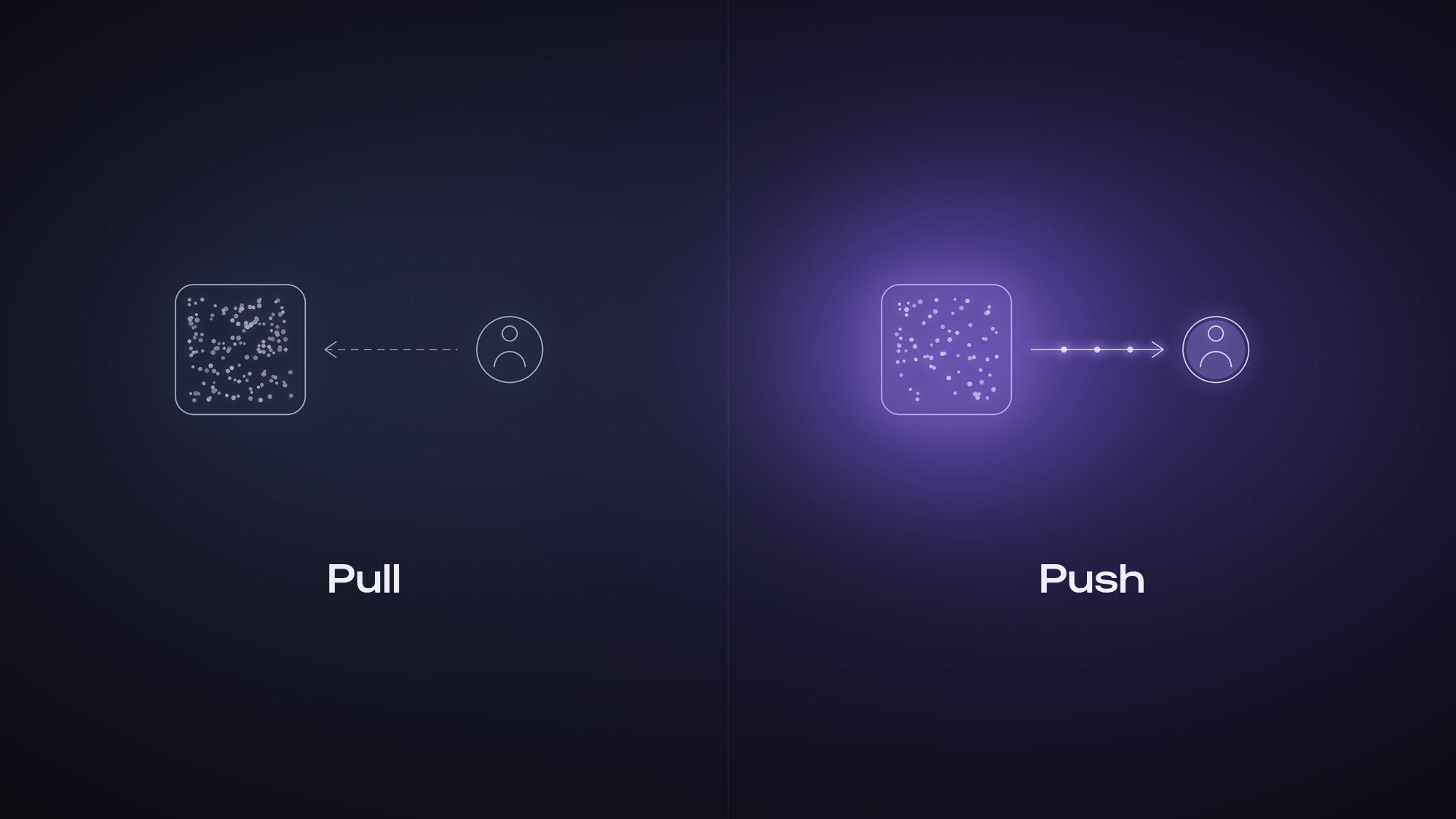
Pull vs push: two ways rewards reach a wallet
Every Merkl campaign accrues rewards to users based on their onchain activity. Those rewards then reach user wallets in one of two ways.
Pull is the default. Rewards accrue as a claimable balance. Users open the Merkl App or the protocol's own interface and claim when they choose, paying their own gas.
Push is Autoclaim. Rewards are sent to user wallets automatically, on a schedule and within thresholds set in advance. Nobody has to claim.
| Pull (default) | Push (Autoclaim) | |
|---|---|---|
| Who triggers the claim | The user | Automatic, based on rules set by the user or the campaign creator |
| User action required | Open the Merkl App, claim, sign | None after setup |
| Who pays gas | The user | The user, with credits, or the team running the program, for all its users |
| Where rewards land | The user's wallet, or an address they choose | The user's wallet, or an address they choose |
| Best for | Crypto-native power users | Everyone else, especially new users |
Neither model is strictly better. They serve different goals, and many teams run both at once. For the technical details of how Autoclaim works, see the Autoclaim docs.
Autoclaim for campaign creators: push rewards to all your users
If you run a reward program on Merkl, you can enable Autoclaim for your users as a managed add-on. Rewards are pushed to their wallets in the background, on a schedule you define. Your users never have to claim.
What you configure
- Claim cadence. Choose how often rewards are pushed: daily, weekly, or once a threshold is reached.
- Minimum eligibility amount. Set a minimum dollar value per user before a claim fires, so you never spend more on gas than the reward is worth.
- Campaigns and tokens. Apply Autoclaim only to the campaigns and reward tokens you choose.
- Audience. Turn it on for all users, or for a defined segment such as an allowlist, and keep everyone else on pull.
Why campaign creators turn it on
- A fully integrated experience. Your users never leave your app to collect their rewards. No redirect to the Merkl App, no extra step breaking the flow: rewards just show up in their wallets. This is ideal for onboarding users who are not crypto-native.
- No integration work. Merkl runs everything in the background. On your side, you only display the user's balance. There is no claim flow to build or maintain.
- A lighter support load. No more "how do I claim" tickets and no stuck-claim troubleshooting.
Pricing
Autoclaim for campaign creators combines a monthly service fee, which covers Merkl's managed infrastructure and a claim allowance, with gas billed separately at cost. Current plans and pricing are on the Autoclaim service page.
Autoclaim for campaign creators is set up with our team. To scope it for your program, book a call with our team.
Autoclaim for users: set it once, rewards land on their own
If you earn rewards on Merkl, you can turn on Autoclaim yourself. Set it once, and your rewards are sent straight to your wallet. No gas to pay, no signature needed.
How to turn on Autoclaim in the Merkl App
- Open your dashboard. Connect your wallet on the Merkl App and go to the Dashboard.
- Open the claim window. Click "Claim" on a chain where you have rewards. The window lists your tokens, with an Autoclaim toggle next to each one.
- Flip the Autoclaim toggle on the token you want sent to your wallet automatically.
- Set your rule. Choose a minimum claim value: rewards accumulate until they reach it, so you never pay to claim dust. You can also set a custom claim frequency. By default, rewards are sent at most once a day.
- Add credits and enable. The price of each autoclaim varies by chain and is shown in the Merkl App. Top up your credits if needed and confirm.
- Merkl activates your rule. This is handled on our side, usually within 1 to 2 hours on business days.
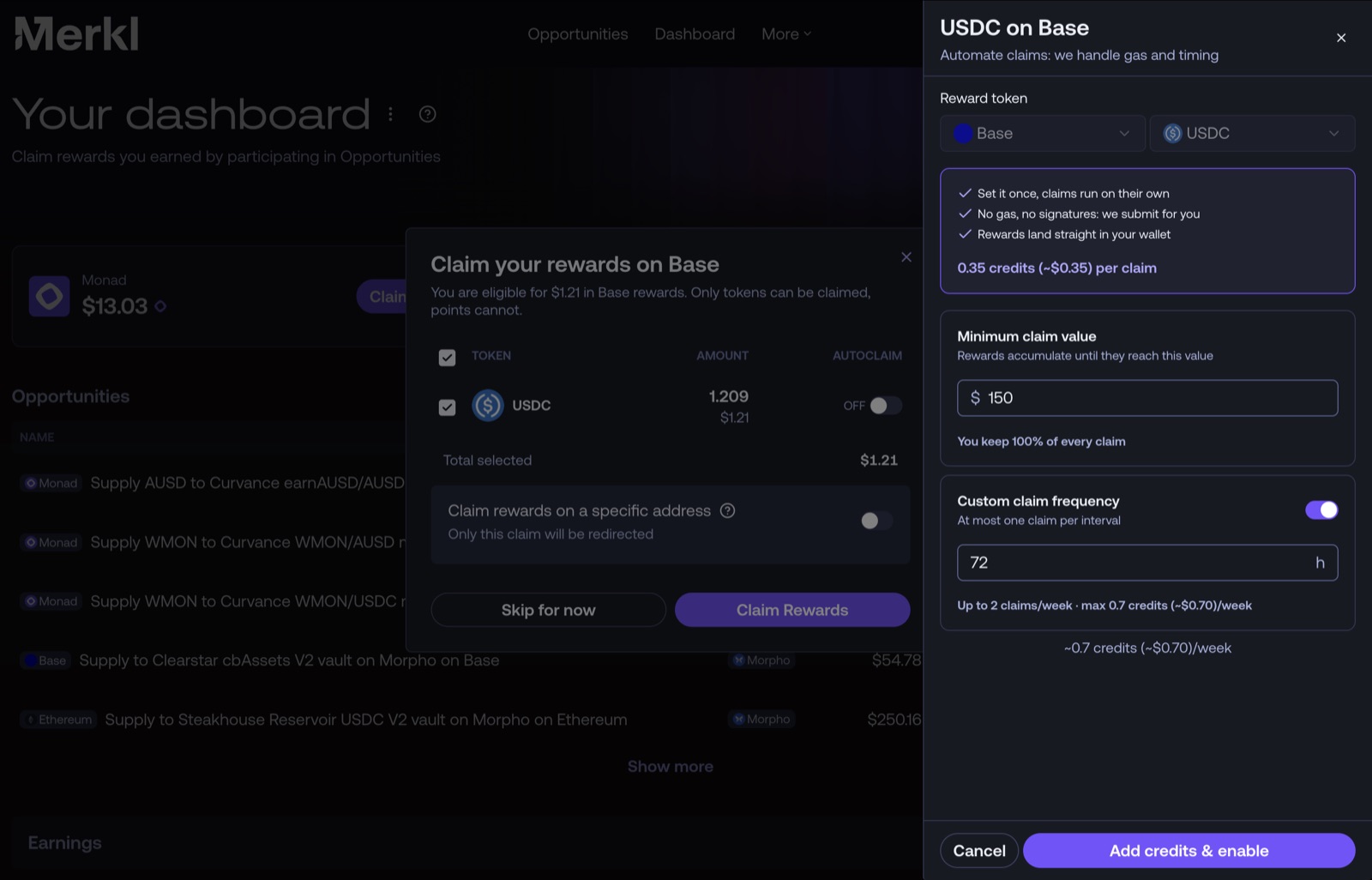
From then on, your rewards are sent straight to your wallet whenever they clear your thresholds. A short delay between the moment rewards become eligible and the moment they reach your wallet is normal.
Go further: send your rewards to another address
Autoclaim does not have to deliver to the wallet that earned the rewards. You can redirect them to any address you choose, such as a cold wallet, a multisig or a treasury.
To set it up, open the reward settings from your dashboard, choose "Redirect rewards" and enter the recipient address. Your rewards are then sent automatically to that address. See the claim recipient docs for details.
What to know
- Your tokens stay yours. Rewards land in the wallet that earned them, or in the address you chose. Merkl never takes custody of your reward tokens.
- One rule per token per chain, across all campaigns. If you earn USDC from two campaigns on the same chain, one USDC autoclaim covers both, in a single transaction charged once.
- No credits, no problem. If your balance runs out, Autoclaim pauses. It resumes on its own once you top up, with nothing to re-enable.
Full details are in the Autoclaim docs.
Pull, push, or both: choosing the right setup
The best setup depends on who your users are. Many teams combine both models: pull for their crypto-native power users, push for everyone else.
Keep pull when your users are active onchain. Claiming gives them full visibility over what they earned and when. It also creates a recurring touchpoint with your app, and in jurisdictions where receiving rewards is a taxable event, users choose when to trigger it. Gas is on the user's side, so distribution carries no transaction cost for you.
Switch to push when friction costs you users. If your audience comes from a wallet, a fintech app or a CEX, a claim step is one more reason to drop off. Autoclaim removes it entirely, and your product team has nothing to build.
Run both when your audience is mixed. Enable Autoclaim for a segment, such as new users or users of a specific app, and keep pull as the default for everyone else. Thresholds make sure passive wallets never receive dust.
Push rewards straight to your users
FAQ
Do users have to claim their rewards on Merkl?
No. Claiming is the default, but it is optional. With Autoclaim, rewards are pushed straight to the user's wallet. Teams can enable it for their users, and users can enable it for themselves.
Does Merkl take custody of my rewards with Autoclaim?
No. Rewards land in the wallet that earned them, or in the address you chose. Merkl only holds your credit balance, used to pay for the service.
Will Autoclaim fill my wallet with dust?
No. Autoclaim is opt-in, and every rule has a minimum claim value. Rewards accumulate until they reach that value, and only then are they pushed to your wallet.
How long does it take for autoclaimed rewards to arrive?
Rewards are sent on a recurring basis, at most once a day by default, once they clear your minimum claim value. A short delay between eligibility and delivery is normal.
Which chains support Autoclaim?
Autoclaim is available on a growing list of chains, including Ethereum, Base, Plasma and Monad, with new ones added regularly. The Autoclaim docs list the chains currently supported, and the claim window in the Merkl App shows whether Autoclaim is available for each of your tokens.
Do teams need to integrate anything to offer Autoclaim?
No. Merkl handles everything in the background. Teams only display their users' balances, with no claim flow to build or maintain.
Related articles
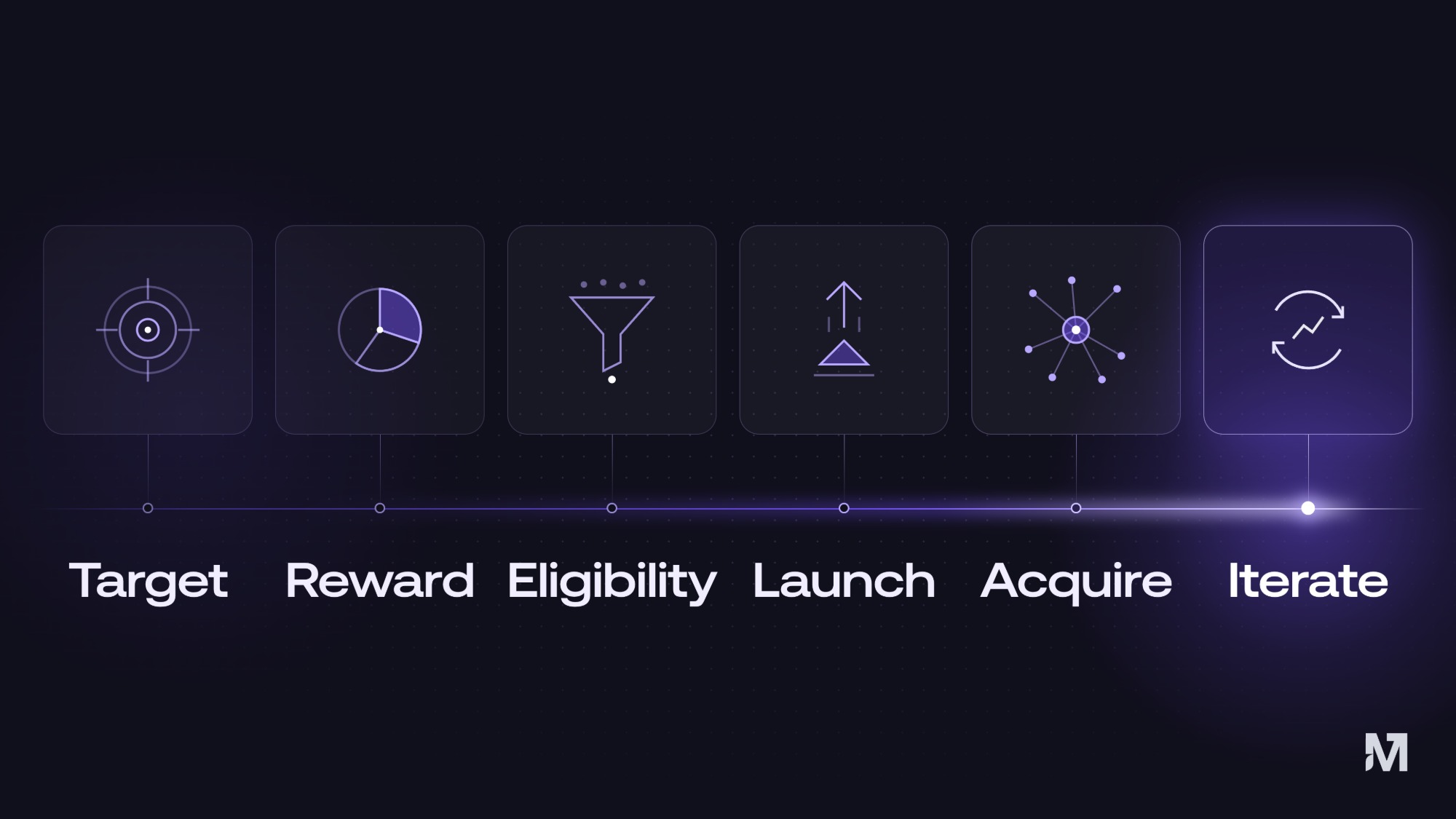
Deep dives|Oct 8, 2026|11 min read
How to Launch a Liquidity Incentive Campaign in 6 Steps
How to launch a liquidity incentive campaign in 6 steps with Merkl Studio: set targets, pick a reward model, pay for liquidity that stays, and acquire LPs.
Read more →
Deep dives|Sep 14, 2026|8 min read
Stablecoin Mass Payouts vs Traditional Payout Providers: What Actually Changes
Stablecoin mass payouts compared with banks and payout providers: cost structure, settlement speed, failure modes, compliance, and when each rail wins.
Read more →
Deep dives|Sep 9, 2026|11 min read
How to Send Tokens to Thousands of Wallets Onchain: Batch Transfers Explained
How to send tokens or stablecoins to thousands of wallets in one batch transfer: onchain vs traditional rails, push vs pull, fees, and a step-by-step guide with Merkl.
Read more →