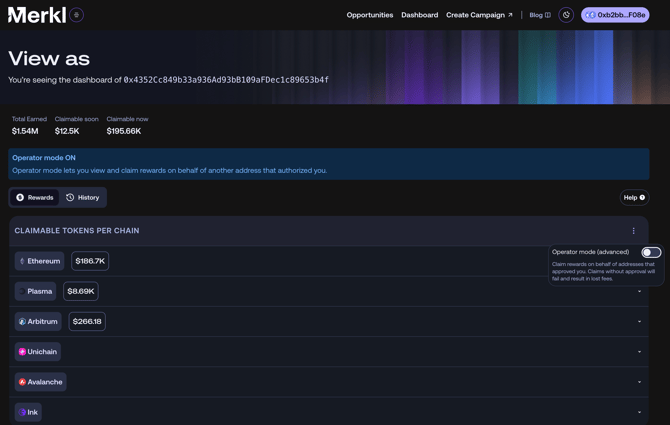
Prerequisite: The address that earned the rewards must have granted you the right to claim on their behalf. If not, check the delegate claim article to learn how to set it up.
1. Go to the Dashboard page of the address you want to claim for: https://app.merkl.xyz/users/[ADDRESS], replacing [ADDRESS] with their wallet address.
2. Click the three-dot menu on the right side of the dashboard and enable Operator mode.
Connect your wallet that has been granted claim delegation rights.
3. Claim the rewards. The claim button will only appear if you have been granted the right to claim on behalf of this address. When you claim, rewards are sent to the original earning address, not to your wallet.